
Dev React Setup: Tooling, Linting, and Fast Feedback

Sandor Farkas
Founder & Lead Developer
Expert in software development and legacy code optimization
LinkedIn
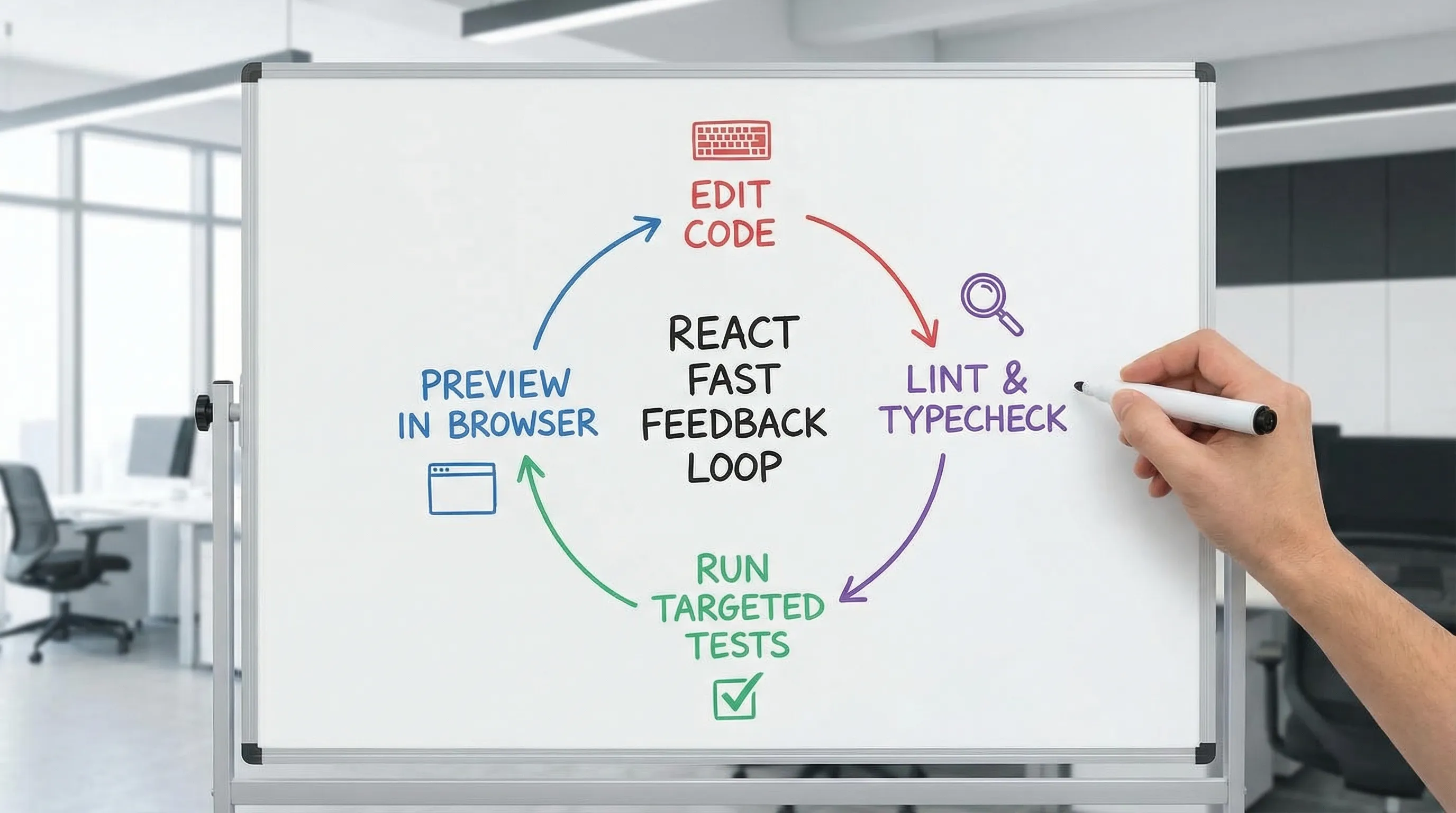
If your React team ships UI changes weekly (or daily), your biggest productivity lever is not a new library, it’s fast, reliable feedback. A solid dev React setup makes the “edit, run, know” loop short, predictable, and consistent across laptops and CI. It also prevents the classic failure mode where quality exists only in someone’s head (or only after QA finds it).
This guide focuses on practical defaults for 2026: tooling choices, linting and formatting, and a feedback pipeline that scales from a single developer to a multi-team product.
What “good” looks like for a dev React setup
A production-grade setup optimizes for four outcomes:
- Fast local loop: errors show up while you type, not after a 12-minute build.
- Consistent codebase: style and basic rules are automated, not debated.
- Change safety: small changes don’t cause surprising regressions.
- CI parity: what passes locally should pass in CI (and vice versa).
The goal is not maximal strictness. The goal is maximal learning per minute.
Baseline tooling decisions (keep them boring)
Before lint rules, start with the boring foundations that reduce “works on my machine.”
Node.js and package manager
- Use an active LTS Node.js version and pin it (for example via
.nvmrcor.node-version). - Pick one package manager (npm, pnpm, or Yarn) and enforce it in docs and CI.
- Enable deterministic installs (
package-lock.json,pnpm-lock.yaml, oryarn.lock).
This is not glamorous, but inconsistent installs are a top cause of flaky local and CI behavior.
Dev server and build tool
For most React apps in 2026, you’ll typically be in one of these camps:
- Vite for React SPAs and internal apps (fast dev server, simple mental model): Vite
- Next.js when you need rendering options (SSR, streaming, caching primitives, SEO): this is covered more deeply in Wolf-Tech’s Next.js content.
If you are unsure, default to the simplest tool that meets your constraints, then validate with a thin vertical slice.
The fast feedback ladder (what runs when)
A common mistake is trying to run everything everywhere. Instead, design a ladder where faster checks run more often, and slower checks run less often.
| Feedback stage | Target time | Where it runs | What it catches | Typical tools |
|---|---|---|---|---|
| Editor feedback | Instant | IDE | Type errors, basic rule violations | TypeScript, ESLint extension |
| Pre-commit checks | 5 to 30 seconds | Local | Formatting, lint, small unit set | Prettier, ESLint, lint-staged |
| PR checks | 3 to 10 minutes | CI | Full unit suite, build, basic security | Vitest/Jest, build step, SCA |
| Nightly or scheduled | 10+ minutes | CI | E2E suite, heavy analysis | Playwright, extended scans |
Designing this ladder is how you get speed without lowering standards.
Linting that developers actually keep enabled
Linting only helps if developers trust it, and if it is fast enough to run continuously.
Recommended lint stack
A pragmatic baseline:
- ESLint as the linter core
- TypeScript parser and rules from
typescript-eslint eslint-plugin-react-hooksto prevent subtle hook bugs- Optionally import hygiene rules (for example
eslint-plugin-import) if they pay for themselves in your codebase
If you use Prettier, add eslint-config-prettier to avoid style-rule conflicts.
A “minimum viable” ESLint posture
Avoid the trap of turning on every rule “because it exists.” Instead:
- Enforce correctness rules early (hooks rules, no unused vars, no floating promises if you use them).
- Keep rules auto-fixable when possible.
- Prefer TypeScript for structural correctness, and ESLint for behavior and conventions.
If you want a deeper, team-level standardization approach (module boundaries, state conventions, and enforceable rules), see Wolf-Tech’s React development playbook.
Formatting: make it invisible
Formatting debates are pure waste. Pick a formatter and let it run automatically.
- Use Prettier for formatting.
- Add an
.editorconfigto reduce editor drift. - Format on save in the IDE, and re-check in CI.
Tip: Do not use ESLint as a formatter. Treat linting and formatting as separate responsibilities.
TypeScript: the highest ROI “tool” in most React apps
If your React codebase is more than a prototype, TypeScript usually returns value quickly.
Practical guidance:
- Start strictness at a level your team can sustain, and raise it over time.
- Prefer typed boundaries: API contracts, component props, routing params.
- Keep build and typecheck concerns separated (a typecheck step that runs in CI even if your bundler also typechecks).
TypeScript is also a key enabler for safe refactors and for enforcing architecture boundaries.
Pre-commit hooks: stop shipping obvious mistakes
Pre-commit hooks should be short and predictable, otherwise developers will bypass them.
A common pattern:
- Run Prettier on changed files.
- Run ESLint on changed files.
- Optionally run a small set of unit tests related to changes (be cautious, test selection can be unreliable).
Tools that can help: lint-staged plus a hook runner (for example Husky, or alternatives). The specific tool matters less than keeping the hooks fast.
Testing for fast feedback (unit, component, E2E)
You do not need an enormous test suite to get strong feedback. You need the right tests at the right layer.
Unit and component tests
- Prefer a fast runner like Vitest for Vite-based apps.
- Use Testing Library to test user-visible behavior instead of implementation details.
Key practice: keep tests deterministic. Flaky tests destroy trust and slow teams down.
End-to-end tests
Use E2E tests to protect the most valuable flows (auth, checkout, key CRUD journeys), not every pixel.
- Playwright is a strong default for modern web apps.
E2E suites often belong in PR checks only for smoke coverage, with a larger suite running nightly.
CI checks: make the pipeline a product
A dev React setup is incomplete until CI is aligned with it. Your pipeline should be boring, observable, and quick to debug.
A typical PR pipeline for React:
- Install with lockfile
- Lint
- Typecheck
- Unit tests
- Build
- Optional: minimal E2E smoke
If you want a broader CI/CD blueprint beyond frontend, Wolf-Tech’s CI/CD technology guide covers the end-to-end building blocks.
Preview environments and “real” feedback
Fast feedback is not only about correctness, it’s about product learning.
If you can, add preview deploys per PR so product and design can validate changes early. This matters even more for high-trust, high-stakes sites where content and UX credibility are critical.
Opinionated script template (copy and adapt)
A clean script surface area makes everything easier to automate:
{
  "scripts": {
    "dev": "vite",
    "build": "vite build",
    "preview": "vite preview",
    "lint": "eslint .",
    "format": "prettier . --write",
    "typecheck": "tsc -p tsconfig.json --noEmit",
    "test": "vitest",
    "test:ci": "vitest run"
  }
}
If you are on Next.js, scripts will differ, but the intent stays the same: separate lint, typecheck, test, build.
Common failure modes (and fixes)
“Linting is slow, so nobody runs it”
Fixes:
- Reduce rule count, remove expensive rules, and use caching where supported.
- Move heavy checks to CI if they do not belong in the edit loop.
“Prettier and ESLint fight each other”
Fix: use eslint-config-prettier and stop using style rules in ESLint.
“CI fails but my machine passes”
Fixes:
- Pin Node and package manager versions.
- Ensure CI uses the lockfile and clean installs.
- Run the same commands locally and in CI (avoid hidden CI-only steps).
“E2E tests are flaky”
Fixes:
- Test stable user outcomes, not timing.
- Add deterministic selectors.
- Treat flakiness as a bug with ownership.
Rolling this into an existing codebase (without stopping delivery)
If your codebase is already shipping, introduce standards incrementally:
- Start by adding format and lint as signals in CI (report, do not block).
- Fix the worst hotspots, then switch to gating new or touched code.
- Add pre-commit hooks only after CI is stable, otherwise developers will resent them.
- Measure impact with simple indicators (PR cycle time, CI duration, change failure rate).
This “incremental enforcement” approach is also the most modernization-friendly, especially for legacy React code.
Frequently Asked Questions
What is the best dev React setup for fast feedback? A good setup combines a fast dev server (often Vite or a React framework), ESLint, Prettier, TypeScript typechecks, and a test stack that runs quickly locally and reliably in CI.
Should ESLint run on every file or only changed files? In CI, run ESLint across the repo for consistency. Locally and pre-commit, run it on changed files to keep feedback fast.
Do I need both TypeScript and ESLint? Yes in most teams. TypeScript catches structural type issues, ESLint catches behavioral problems (like incorrect hook usage) and enforces conventions.
How do I stop developers from bypassing pre-commit hooks? Keep hooks fast and predictable, and ensure CI enforces the same checks. If hooks are slow or flaky, bypassing is rational behavior.
What should run in PR checks versus nightly? PR checks should cover lint, typecheck, unit tests, and a build, plus a small E2E smoke suite if it is reliable. Run broader E2E and heavier scans nightly.
Need a React tooling baseline your team can sustain?
Wolf-Tech helps teams design and roll out pragmatic React standards, linting and quality gates, and delivery pipelines that shorten feedback loops without slowing shipping. If you want an audit of your current setup (tooling, rules, CI times, and failure patterns) and a staged rollout plan, explore Wolf-Tech’s full-stack services at wolf-tech.io.