
JS React Patterns for Enterprise UIs

Sandor Farkas
Founder & Lead Developer
Expert in software development and legacy code optimization
LinkedIn
Enterprise UIs fail for boring reasons. Not because React cannot handle complexity, but because a codebase that started as “just a few pages” slowly accumulates inconsistent state, duplicated business rules, permission bugs, and UI components that are impossible to reuse safely.
The goal of good JS React patterns in enterprise applications is not cleverness. It is predictable delivery: teams shipping features faster, with fewer regressions, and with performance and accessibility that hold up under real-world data and real-world org charts.
What makes enterprise React UIs different
Many React teams copy patterns from small apps and wonder why everything hurts six months later. Enterprise UIs tend to have:
- Many contributors (multiple teams touching the same screens)
- Complex data flows (filters, pagination, caching, optimistic updates)
- Role-based access control (RBAC), feature flags, and auditability
- Long-lived code (years, not weeks)
- High UX expectations (keyboard navigation, dense data tables, fast interactions)
That means patterns should optimize for consistency, observability, and change tolerance, not just for getting a component to render.
Pattern 1: Organize by feature (vertical slices), not by file type
A common early smell is a folder structure like components/, hooks/, utils/, services/, where every feature pulls from everywhere. It scales poorly because ownership is unclear and refactors touch unrelated code.
A reliable enterprise pattern is feature-first vertical slices. Each feature owns its pages, components, API calls, and tests. Cross-cutting building blocks (design system, shared utilities) stay separate.
src/
  app/                 # routing/bootstrap
  shared/              # shared UI primitives, utilities, types
  features/
    billing/
      api/
      components/
      routes/
      hooks/
      types.ts
      billing.test.tsx
    approvals/
      ...
Why it works:
- Local reasoning: you can change “Billing” without understanding “Approvals.”
- Clear ownership: teams can own feature folders.
- Easier deprecation: deleting a feature becomes realistic.
This maps well to how enterprises fund work (by domain capability) and aligns with modernization approaches you might already use on the backend. If you are also tackling older code, Wolf-Tech’s guide on code modernization techniques complements this mindset by focusing on modularity and risk-reducing change.
Pattern 2: Build UI with composition (and limit prop drilling)
Enterprise UIs usually develop “prop threading,” where business rules and callbacks get passed through multiple levels. That creates brittle, implicit coupling.
Prefer composition patterns:
- Slots via
childrenfor flexible layouts - Compound components for cohesive UI APIs (for example
Table,Table.Head,Table.Row) - Context with boundaries for cohesive subtrees (avoid global “everything context”)
A practical rule: use React Context for UI coordination within a bounded area (a form wizard, a table selection model), not as your primary state management layer for the whole product.
For reference, React’s docs on Context and Composition are a good baseline, but the enterprise twist is governance: standardize a small set of patterns so different teams do not invent five incompatible “table APIs.”
Pattern 3: Split “server state” from “client UI state”
A lot of React complexity comes from mixing different kinds of state in the same mechanism.
A clean, scalable approach is to explicitly separate:
| State type | Examples | Recommended home | Notes |
|---|---|---|---|
| Server state | lists, detail records, permissions from API | a server-state library (for example TanStack Query) | caching, retries, invalidation, background refetch |
| Client UI state | open dialogs, selected row IDs, local filters before “Apply” | component state or scoped context | keep it close to where it is used |
| Cross-feature client state | auth session, global notifications | minimal global store | avoid putting every toggle here |
| Derived state | totals, “isDirty”, “canSubmit” | selectors/memos | do not duplicate data |
This pattern reduces “mystery updates” and makes performance work more tractable.
Pattern 4: Treat data fetching as a product surface
Enterprise apps are often dashboards and workflows. Think of a data-heavy interface with many widgets and timelines where multiple panels need consistent, up-to-date data without redundant network calls.
In React, that consistency usually comes from standardizing:
- Query keys (naming, parameters, scoping)
- Caching rules (stale time, refetch triggers)
- Mutation strategy (invalidate vs optimistic updates)
- Error normalization (API errors to UI-safe messages)
A strong default in many enterprise UIs is TanStack Query (React Query). It forces you to model server state explicitly. The key is not the library, it is the discipline.
Example pattern: an API layer plus query hooks.
// features/billing/api/client.ts
export async function getInvoices(params: { accountId: string; page: number }) {
  const res = await fetch(`/api/invoices?accountId=${params.accountId}&page=${params.page}`)
  if (!res.ok) throw new Error('Failed to load invoices')
  return res.json() as Promise<{ items: Invoice[]; total: number }>
}

// features/billing/api/queries.ts
import { useQuery } from '@tanstack/react-query'
import { getInvoices } from './client'

export function useInvoices(accountId: string, page: number) {
  return useQuery({
    queryKey: ['billing', 'invoices', accountId, page],
    queryFn: () => getInvoices({ accountId, page }),
  })
}
This keeps components focused on rendering and interaction, and it gives you a single place to enforce standards (timeouts, auth headers, tracing IDs).
Pattern 5: Standardize forms with schemas and a single validation story
Forms are where enterprise UIs go to die: multi-step onboarding, approvals, complex business rules, autosave, drafts, and role-specific fields.
A dependable pattern is:
- Schema-first validation (Zod, Yup, or your preferred schema library)
- A form library built for uncontrolled inputs (React Hook Form is a common choice)
- One approach to error mapping (API errors to fields, field errors to summary)
Keep validation logic in a testable place, not embedded across event handlers.
Also, consider accessibility early. The WAI-ARIA Authoring Practices are a strong reference for patterns like comboboxes, dialogs, and data grids.
Pattern 6: Make authorization visible in the component model
RBAC logic scattered across components becomes a security risk and a maintenance problem.
Two rules help:
- Create a single policy API (for example
can(user, "invoice:approve")) and reuse it everywhere. - Make “authorized UI” a first-class component.
type Permission = 'invoice:view' | 'invoice:approve'

function Can(props: { permission: Permission; children: React.ReactNode }) {
  const user = useUser()
  if (!user) return null
  return user.permissions.includes(props.permission) ? props.children : null
}

export function ApproveInvoiceButton() {
  return (
    <Can permission="invoice:approve">
      <button type="button">Approve</button>
    </Can>
  )
}
This keeps the rule consistent, makes code review easier, and reduces accidental permission bypasses.
For enterprise governance, pair this with a backend enforcement strategy. UI gating improves UX, but it must not be your only control.
Pattern 7: Prefer a design system (even a small one) over ad hoc components
If every team ships its own “Button,” “Modal,” and “Table,” you get inconsistent UX, inconsistent accessibility, and slow delivery.
A pragmatic approach:
- Build or adopt a small design system of primitives (Button, Input, Dialog, Tooltip, FormField)
- Add enterprise-grade composites carefully (DataTable, FilterBar, BulkActions)
- Enforce usage with lint rules and code review
This is also a performance play: standardized components are easier to optimize and measure.
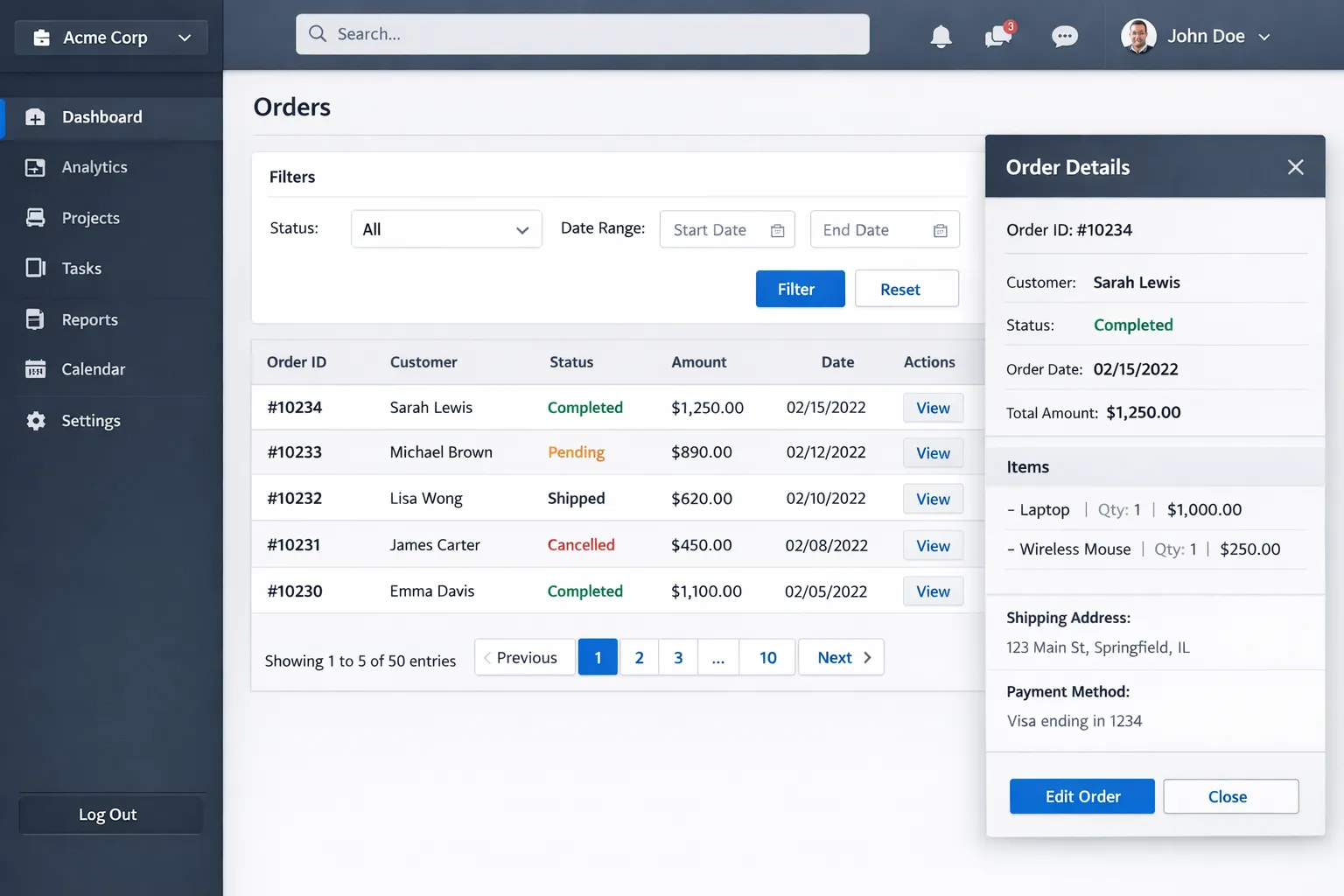
Pattern 8: Resilience by default (error boundaries, retries, and empty states)
Enterprise users will hit partial failures constantly: timeouts, stale permissions, a downstream service returning 500s, or a long-running export.
Implement resilience as a baseline:
- Error boundaries around major routes and high-risk widgets
- Typed empty states (no results vs not authorized vs service down)
- Retry guidance (when to retry automatically, when to ask the user)
React’s Error Boundary pattern is still essential, especially in dashboard-style UIs where one widget failing should not blank the entire page.
Pattern 9: Performance patterns that matter in enterprise UIs
Most enterprise performance issues are self-inflicted: unnecessary renders, huge tables, expensive selectors, and shipping too much JS.
High ROI patterns include:
- Virtualize large lists and tables (render only visible rows)
- Keep expensive derived state memoized (but measure, do not cargo-cult
useMemo) - Code split by route and feature (lazy load rarely used admin screens)
- Avoid “global rerender” state (a single store update should not repaint the world)
If you are building on Next.js, it is worth aligning these patterns with your rendering strategy (SSR/SSG, caching, server components where appropriate). Wolf-Tech’s Next.js best practices for scalable apps goes deeper into that side of the system.
Pattern 10: Test at the seams, not at every pixel
Enterprise teams tend to swing between “no tests” and “too many brittle tests.” A stable balance is:
- Unit tests for pure functions (formatting, permission policies, mappers)
- Component integration tests for key workflows (search, filter, approve)
- Contract tests for API boundaries (typed clients, schema expectations)
Aim to test business behavior, not implementation details. If refactors are painful because tests break, the tests are probably too coupled.
A practical pattern map (what to use, when)
Here is a compact view that helps teams pick patterns intentionally.
| Pattern | Use it when | Watch-outs |
|---|---|---|
| Feature-first folders | multiple teams, many domains | keep shared/ small or it becomes a dumping ground |
| Composition + scoped context | reusable layouts, cohesive widgets | avoid mega-context that triggers global rerenders |
| Server-state library | dashboards, caches, background refetch | define query key conventions early |
| Schema-driven forms | complex validation, multi-step flows | do not duplicate rules across UI and schema |
Policy API + Can component | RBAC-heavy products | UI gating is not backend security |
| Design system primitives | consistency, accessibility | enforce adoption, do not allow “shadow components” |
| Error boundaries + empty states | partial failures, microservices | standardize error shapes and logging |
| Virtualization + code splitting | large datasets, many routes | measure with profiler and web vitals |
Implementation guidance: how to introduce these patterns without a rewrite
If your current React app is already live, treat patterns as a migration path, not a big-bang refactor.
Start by standardizing the “spines”:
- Folder boundaries: new work goes into
features/<domain>. - API access: new endpoints go through a single API client + query hook pattern.
- Design system entry point: new UI uses shared primitives.
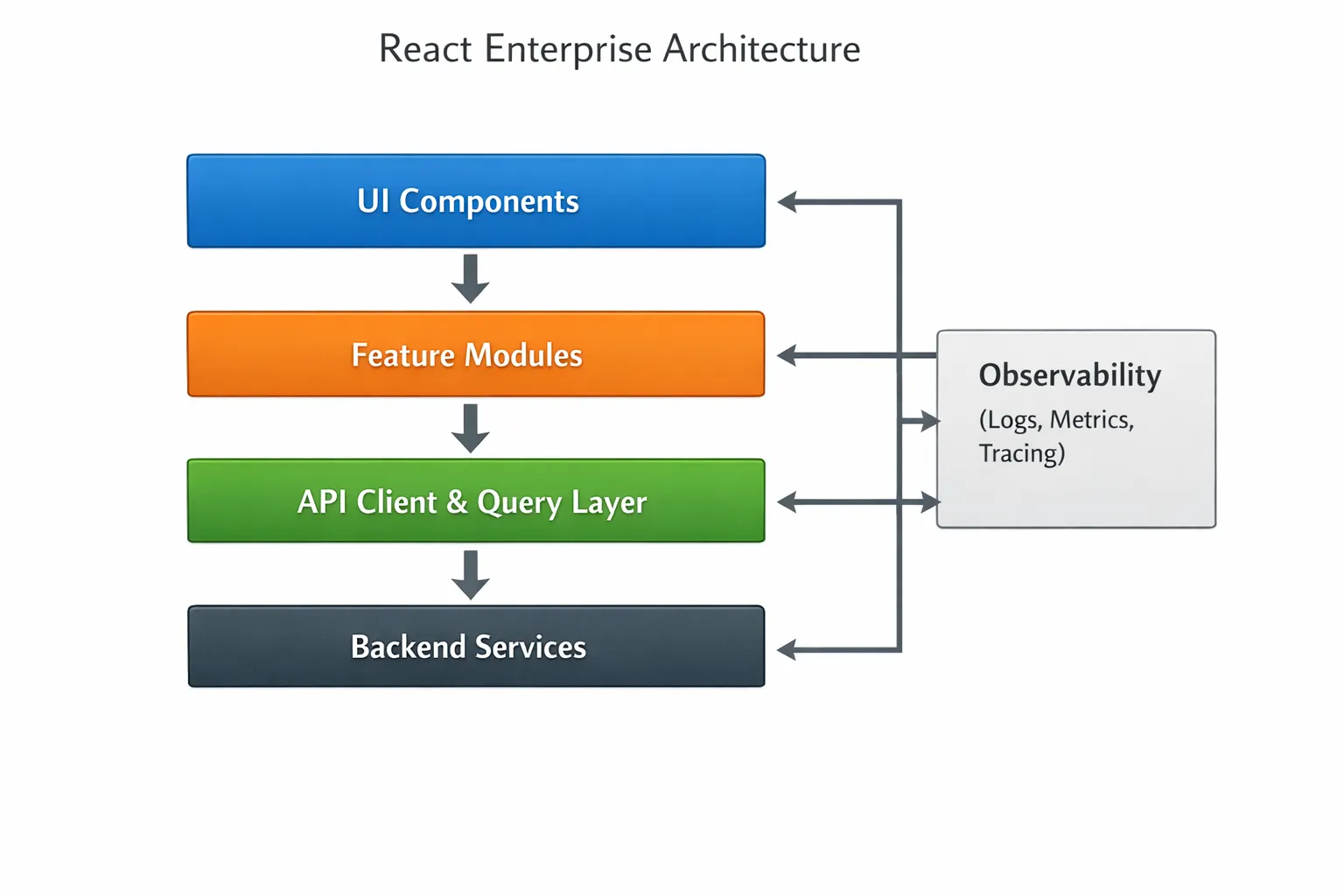
Then pick one high-change area (often a dashboard or a form-heavy flow) and rebuild it with the target patterns. This creates a reference implementation others can copy.
If you need a delivery framework for scaling teams while you do this, Wolf-Tech’s application development roadmap for growing teams is a solid companion because it covers the engineering operating model (CI/CD, metrics, governance) that makes UI migrations stick.
Where Wolf-Tech can help
If you are building or modernizing an enterprise React UI and want these patterns to translate into real delivery speed, the bottleneck is usually not choosing a library. It is aligning architecture, code quality, and team conventions so that multiple squads can ship safely.
Wolf-Tech supports teams with full-stack development, code quality consulting, legacy code optimization, and tech stack strategy. If you want a second set of eyes on your React architecture (feature boundaries, state strategy, data fetching conventions, and performance and reliability risks), Wolf-Tech can help you define a pragmatic target state and implement it incrementally.