
Education Software Development: Must-Have Features

Sandor Farkas
Founder & Lead Developer
Expert in software development and legacy code optimization
LinkedIn
Education software fails less often because teams cannot build it, and more often because they build the wrong things first.
In education software development, “must-have features” are not a generic checklist. They depend on who you serve (K-12, higher ed, vocational, corporate learning), how learning is delivered (in-person, hybrid, online), and which systems you must coexist with (LMS, SIS, HRIS, identity providers, proctoring tools, content libraries).
This guide focuses on the features that consistently determine adoption, learning outcomes, operational viability, and trust. Use it to shape your MVP scope, avoid expensive rework, and make smarter build-vs-buy decisions.
Start with the real users and the real work
Most education platforms have five user groups with competing goals:
- Learners
- Educators (teachers, instructors, course authors)
- Administrators (school admins, department coordinators, registrars)
- Guardians (in K-12)
- IT and security (identity, devices, compliance)
A practical way to prevent “feature soup” is to map each persona to their highest-frequency jobs, then attach features to those jobs.
| Persona | Core jobs to support | Features that usually become non-negotiable |
|---|---|---|
| Learner | Access content, submit work, get feedback, track progress | Mobile-first UX, notifications, offline/low-bandwidth support, progress view, assignments/submissions |
| Educator | Create lessons, assess, give feedback, manage classroom workflows | Course authoring, rubric grading, question banks, announcements, roster management |
| Admin | Configure terms/classes, manage enrollments, reporting, policies | Role-based access control, rostering, audit logs, reporting exports, data retention controls |
| Guardian | See attendance/progress, communications, permissions | Guardian portal, communication preferences, consent management |
| IT/Sec | Provision users, enforce access policies, integrate systems | SSO, SCIM/rostering, security controls, logging, device and privacy constraints |
If you want a simple rule: make the learner and educator flows fast and reliable, and make admin and IT flows predictable and automatable.
Must-have product features (the ones users notice)
1) Identity, roles, and permissions (RBAC)
Education products rarely have “one user type.” You need clear separation between student, teacher, author, tutor, parent, principal, registrar, and tenant-level admins (if you serve multiple institutions).
At minimum, plan for:
- Role-based access control (RBAC) with predictable permission groups
- Tenant-aware authorization (schools, districts, organizations) if B2B/B2G
- Impersonation support for support staff (with strict auditing)
- Session management that works on shared devices (common in labs)
For implementation guidance, OWASP’s Application Security Verification Standard (ASVS) is a strong baseline for designing and validating authn/authz controls.
2) Rostering and enrollment workflows
Manual user management is an adoption killer. Schools and universities expect provisioning to match their systems of record.
Common must-haves:
- Bulk import and scheduled sync for users, classes, and enrollments
- Enrollment states (invited, active, withdrawn, completed)
- Term, section, and cohort modeling that reflects real operations
- Support for district or multi-campus hierarchies where relevant
If you target K-12 interoperability, OneRoster is widely used for rostering.
3) Course and content management (CMS-like, but education-specific)
Whether you are building an LMS, a tutoring app, or a curriculum platform, you need a robust content model.
Must-haves typically include:
- Modules/units/lessons with ordering and prerequisites
- Rich content blocks (text, video, embeds, attachments)
- Draft, review, publish workflow (especially if multiple educators author)
- Versioning (at least at the course or lesson level)
- Content reuse across classes and terms
If your platform must consume or export packaged learning content, plan early for standards like SCORM or xAPI, depending on your ecosystem.
4) Assignments, submissions, and feedback loops
This is where engagement is won or lost. The key is to keep the learner workflow simple and the educator workflow efficient.
Core capabilities:
- Assignment creation with due dates, grace periods, late policies
- Submission types (file, text, link, media)
- Inline feedback and comments
- Rubrics and criteria-based scoring
- Resubmissions and revision history
Design note: feedback should be treated like a product surface, not an “admin screen.” It is one of the most frequent actions educators take.
5) Assessment engine (quizzes, tests, mastery checks)
Even if assessments are not your primary product, most education software ends up needing them.
Baseline features:
- Question bank with tagging (topic, standard, difficulty)
- Question types (MCQ, multi-select, short answer, numeric, matching)
- Randomization and pooling
- Accommodations (extra time, attempts, text-to-speech compatibility)
- Basic anti-cheat controls appropriate to your segment
If you plan high-stakes testing or remote proctoring, treat it as a separate product slice with deeper threat modeling, privacy review, and operational readiness.
6) Progress tracking and analytics users can act on
Dashboards that look impressive but do not change behavior do not help. Focus on a small set of metrics that support decisions:
- Learner: what to do next, what is overdue, mastery status
- Educator: who is stuck, item analysis (which questions failed), grading queue
- Admin: adoption, course completion, attendance proxies (where applicable)
If you want cross-tool learning event tracking, consider xAPI (Experience API) and a learning record store pattern, but only if you truly need multi-system analytics.
7) Communication and notifications
Education is a workflow business. Communication is the workflow glue.
Typical must-haves:
- Announcements at course and institution levels
- Notifications (email, push, in-app) with user-controlled preferences
- Commenting and messaging (with moderation tools where needed)
- Calendar integration (due dates, live sessions)
In K-12 and youth contexts, communication features also drive your safeguarding and privacy requirements, so design them with policy controls from day one.
8) Accessibility (not optional)
Accessibility is both a compliance issue and a usability multiplier. Many institutions require conformance with WCAG and related regulations.
Practical must-haves:
- Keyboard navigation and visible focus states
- Screen reader support with semantic markup
- Captions and transcripts for media
- Color contrast compliance
- Accessible assessment interactions (timers, drag-and-drop alternatives)
Accessibility is cheaper when built in, expensive when bolted on.
Must-have platform features (the ones that keep it running)
9) Security and privacy foundations for education data
Education platforms process sensitive data (minors’ data, grades, accommodations, behavior records). Your “must-have” list should include controls that make security verifiable.
Core requirements:
- Strong authentication options (SSO, MFA for staff/admins)
- Encryption in transit and at rest
- Audit logs for administrative and sensitive actions
- Principle of least privilege for roles and service accounts
- Secure file handling (uploads, malware scanning strategy, access control)
Privacy and child protection regulations vary, but if you operate in the US you will almost always encounter FERPA (education records) and COPPA (children’s online privacy). If you operate internationally, GDPR may apply.
Engineering note: for secure development lifecycle alignment, NIST’s Secure Software Development Framework (SSDF) is a strong reference.
10) Data model, reporting exports, and governance
Schools and enterprises run on reports and audits. Even if your UI is modern, you will still be asked for CSV exports, data retention rules, and “who changed what.”
Plan for:
- A clear system of record per entity (users, enrollments, grades)
- Exportable reports (CSV, scheduled delivery) with access controls
- Data retention and deletion policies (per tenant)
- Auditability of grade changes and manual overrides
If you are building “analytics” as a differentiator, do not start by building a huge BI layer. Start with event instrumentation that is correct and explainable.
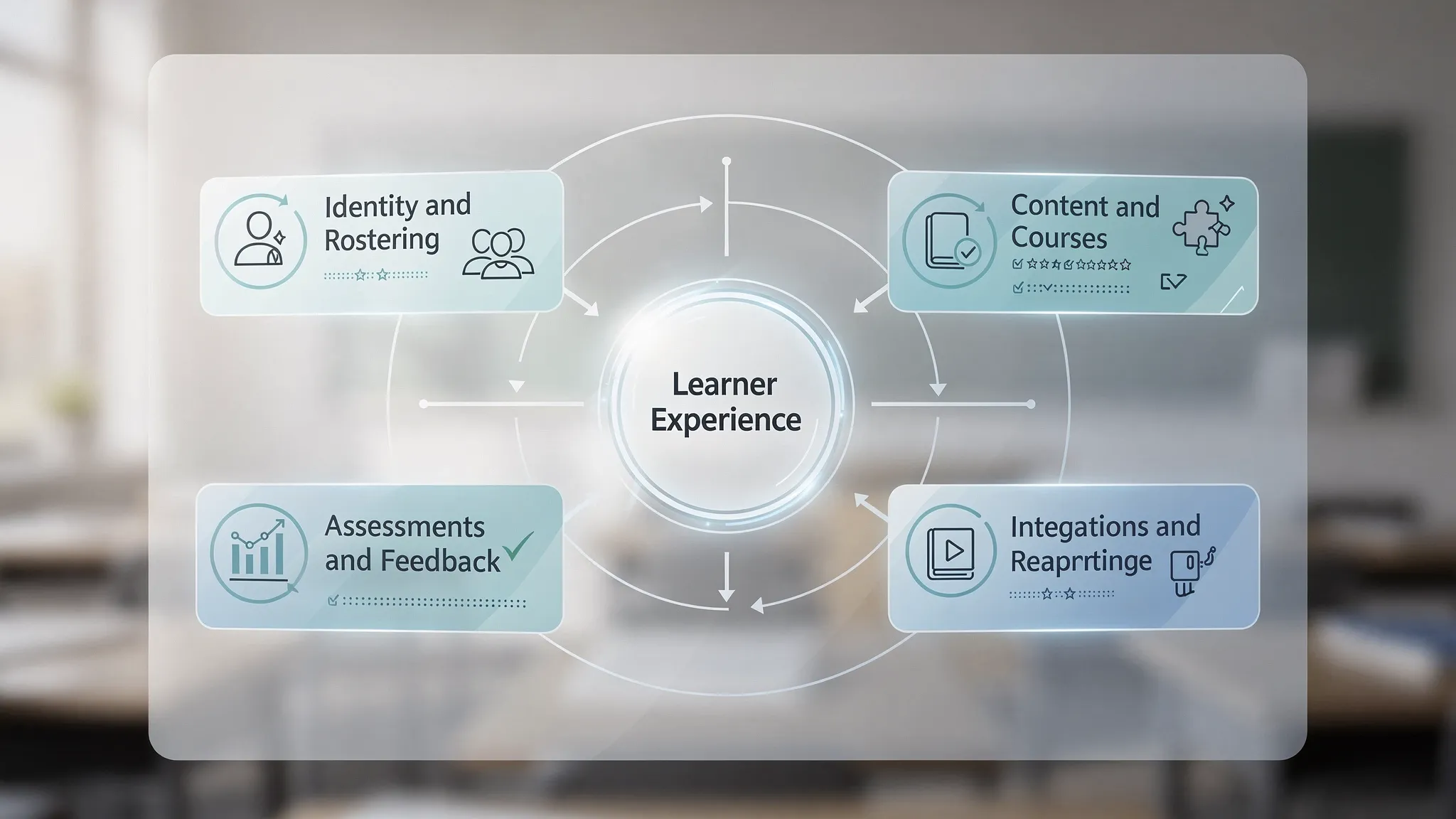
11) Integrations that institutions expect
Your product will be judged by how well it fits into the existing ecosystem.
The integration “must-haves” usually fall into four buckets:
- Identity and access: SSO (SAML/OIDC), provisioning (SCIM)
- Rostering: OneRoster or SIS-specific imports
- Learning tools: LTI for tool interoperability in LMS ecosystems
- Content and events: SCORM, xAPI, webhooks
| Standard / approach | What it enables | When it becomes a must-have |
|---|---|---|
| SAML / OIDC (SSO) | Centralized login, policy enforcement | Any institutional deployment, especially higher ed and enterprise |
| SCIM | Automated user provisioning and deprovisioning | When IT demands lifecycle automation |
| OneRoster | Interoperable rostering (classes, enrollments) | Many K-12 environments |
| LTI | Launching tools inside an LMS context | If you integrate into Canvas, Moodle, Blackboard, etc. |
| SCORM | Packaged course content compatibility | If customers buy SCORM content libraries |
| xAPI | Learning event tracking across systems | If cross-platform analytics is a core requirement |
Pick the standards that match your buyers’ procurement reality. Supporting everything “just in case” is a common way to inflate scope and slow delivery.
12) Reliability, performance, and low-bandwidth support
Education usage has spikes, start of term, homework deadlines, exam windows. “Works most of the time” is not good enough.
Non-negotiables for many platforms:
- Fast page loads on modest devices
- Graceful degradation on slow networks
- Background job handling for heavy tasks (video processing, imports)
- Rate limiting and abuse protection
- Clear operational SLOs (availability, latency) and alerting
If you want a practical engineering blueprint, Wolf-Tech’s guide on backend development best practices for reliability maps well to these needs.
13) Observability and incident readiness
When something breaks during finals week, you need answers quickly.
Must-haves:
- Structured logging with correlation IDs
- Metrics for key workflows (logins, submissions, grading actions)
- Tracing for multi-service architectures
- Runbooks for common incidents (SSO outage, import failures, email delays)
This is also where a disciplined delivery system matters. A modern CI/CD approach reduces risk when you ship frequently. See Wolf-Tech’s primer on CI/CD technology.
14) Admin tooling and configuration (so you do not become the support team)
A surprising number of edtech products fail because every small change requires engineering.
Typical must-have admin capabilities:
- Tenant configuration (branding, domains, policies)
- Feature flags at tenant or cohort level (especially during rollout)
- Content and user moderation tooling where user-generated content exists
- Support tooling (impersonation with audit, account recovery flows)
Compliance and trust features that accelerate sales cycles
In education, procurement and security review can be as important as features.
Consider treating these as “must-haves” if you sell to institutions:
- Security documentation and evidence (controls, policies, incident process)
- Vendor risk readiness (data flow diagrams, subprocessors, retention)
- Accessibility conformance documentation
- Clear SLAs/SLOs and support processes
Even for smaller buyers, these artifacts reduce friction and improve trust.
A practical MVP scope (what to build first, what to delay)
A strong MVP in education software development is usually a thin vertical slice of:
- SSO or simple auth (depending on target customers)
- Roster import for a single institution type
- One learning flow (content to assignment to submission to feedback)
- Minimal gradebook and progress view
- Basic reporting export
Delay until you have traction:
- Complex marketplace ecosystems
- Overly flexible course builders with dozens of block types
- Advanced proctoring and invasive monitoring
- Full-blown data warehouse and BI layer
If you want a structured delivery approach for MVP planning, the “thin slice” concept is covered in Wolf-Tech’s custom web application development playbook and the broader web apps development starter guide.
Non-functional requirements checklist (education-specific)
Use this to align stakeholders early, especially when teams underestimate “everything around the features.”
| Category | What to define up front | Why it matters in education |
|---|---|---|
| Availability | Target uptime, planned maintenance windows | Exams and deadlines create hard downtime constraints |
| Performance | p95 page load/latency targets on common devices | Many learners use low-end devices and school Wi-Fi |
| Privacy | Data retention, deletion, consent, data sharing rules | Minors’ data and institutional policy requirements |
| Security | SSO, MFA, logging, vulnerability management | Procurement and audits, plus real risk profile |
| Accessibility | WCAG level target, testing approach | Legal and ethical requirement, impacts adoption |
| Data integrity | Grade change auditability, idempotent imports | Disputes happen, you need a clear trail |
| Scalability | Peak concurrency assumptions | Start-of-term spikes are predictable, plan for them |
| Supportability | Runbooks, admin tools, feature flags | Small teams cannot survive without operational leverage |
Architecture notes that reduce long-term pain
A few patterns consistently help education platforms scale without drowning in complexity:
- Start with a modular monolith when you are early, then extract services along real fracture lines (imports, notifications, analytics) when needed.
- Make integrations first-class: treat SIS/LMS sync as product flows with retries, visibility, and reconciliation screens.
- Design for auditability: immutable event trails for grades and enrollment changes save you later.
- Build quality in: automated tests, security checks, and code review standards reduce regressions. If you are selecting what to measure, Wolf-Tech’s guide on code quality metrics that matter is a practical reference.
For tech selection, favor stacks your team can operate reliably, not just build quickly. Wolf-Tech’s tech stack selection guide provides a scorecard approach you can adapt to education constraints.
Bringing it together: a “must-have” feature scorecard
If you need a simple prioritization method, score each candidate feature on:
- Adoption impact (does it unblock daily use?)
- Operational impact (does it reduce support/admin load?)
- Sales impact (does it unblock procurement?)
- Risk reduction (security, privacy, accessibility)
Then commit to shipping the highest combined score items first, even if they are not “flashy.” In education, boring features like rostering, reporting exports, and audit logs often decide whether the product can be deployed at all.
When to involve an experienced engineering partner
Education software touches complex domains: privacy, accessibility, identity, integrations, and reliability under peak loads. The expensive failures usually come from underestimating these cross-cutting concerns.
Wolf-Tech helps teams design and build custom education platforms with full-stack engineering, code quality consulting, legacy modernization, and cloud and DevOps expertise. If you are planning a new product or need to harden an existing one, start with a focused discovery that clarifies user journeys, non-functional requirements, and the integration landscape, then validate with a thin vertical slice.
You can explore Wolf-Tech’s approach to outcome-focused delivery in Business Software Development: From Requirements to Value, or reach out via the Wolf-Tech website to discuss your education use case: Wolf-Tech.