
Real Estate Application Development: Features That Matter

Sandor Farkas
Founder & Lead Developer
Expert in software development and legacy code optimization
LinkedIn
Real estate products live or die by workflow. A slick UI means very little if agents still copy leads into spreadsheets, renters cannot submit documents on mobile, or property managers cannot close the loop on maintenance requests. In 2026, users also expect consumer-grade speed and trust: fast search, clear status updates, and secure handling of sensitive data.
This guide breaks down real estate application development into the features that actually move the needle, across sales, rentals, and property management. It is written for founders, product leaders, and operators who need to scope an MVP or modernize an existing platform without overbuilding.
Start with users, not features
“Must-have features” depend on who the application serves and how value is created. Most real estate platforms have a mix of these user groups:
- Buyers and renters: discovery, trust, fast actions (save, inquire, apply)
- Agents and brokers: lead quality, follow-up speed, routing, reporting
- Property managers and leasing teams: unit readiness, applications, maintenance, rent collection
- Owners and investors: performance reporting, approvals, documents
- Vendors (maintenance): work orders, scheduling, proof of completion
- Admins and compliance: permissions, auditability, data retention
Before scoping, define a few measurable outcomes. Examples:
- Lead-to-appointment conversion rate
- Application completion rate (and time-to-complete)
- Time from inquiry to first response
- Rent collection success rate and payment failure rate
- Maintenance time-to-acknowledge and time-to-resolution
If you cannot tie a feature to an outcome, it is usually a “nice-to-have” or a future iteration.
Core features that users actually feel
The following capabilities show up across successful real estate apps because they reduce friction in high-intent moments.
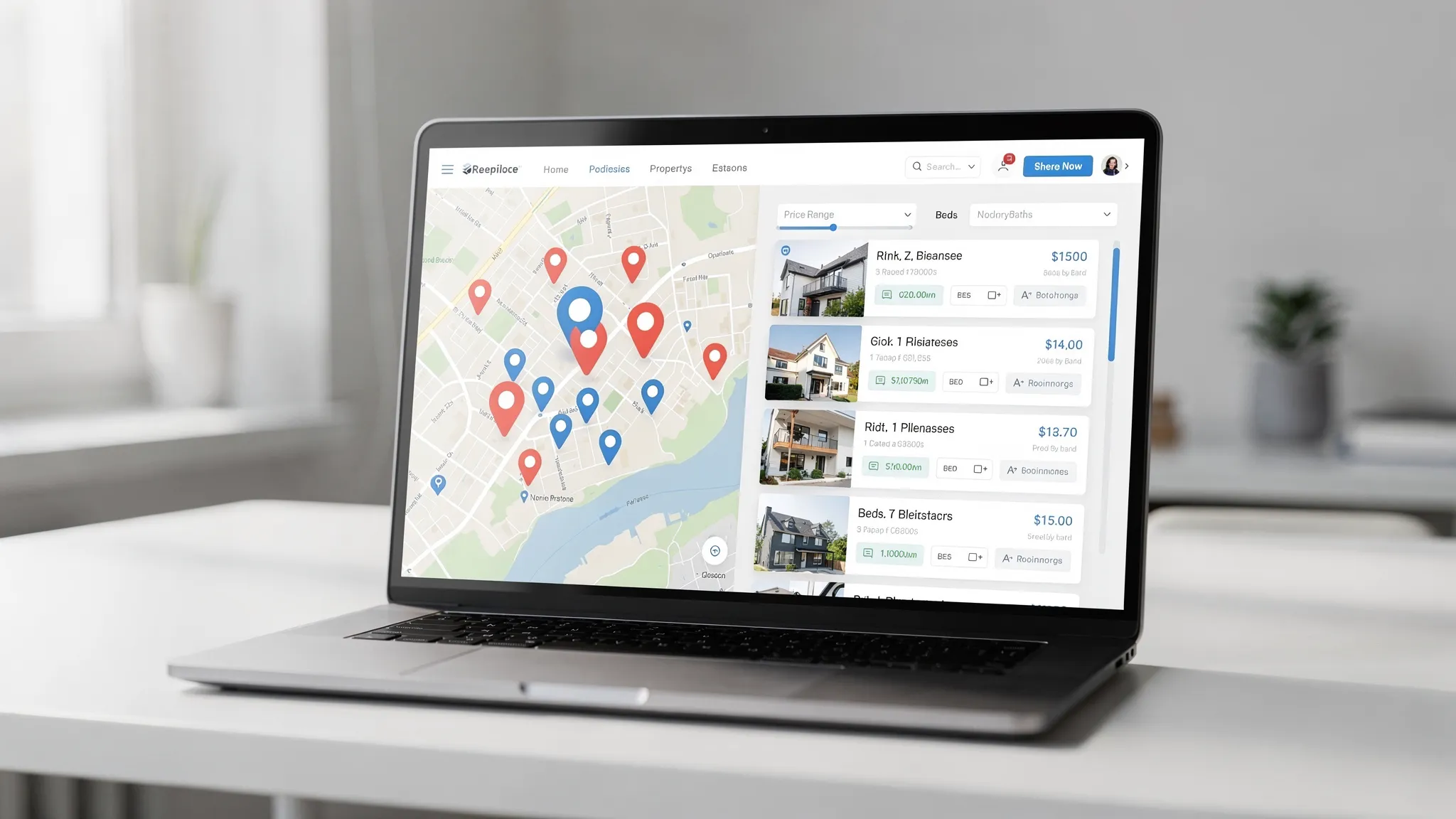
Search, filters, and map-based discovery
Discovery is your front door. Strong search is not just a list with filters, it is:
- Fast, relevant results (including pagination and sorting that feels immediate)
- Map search with clustering and clear interactions between pins and list cards
- Saved searches and alerts (email/push) tied to user preferences
- “Explainable” filters (users understand why a listing is included or excluded)
For teams, the architectural decision here is often whether to rely on database queries at scale or introduce a dedicated search layer (for example, an indexed search service). The “right” choice depends on catalog size, filter complexity, and performance targets.
High-trust listing details (media, data quality, and transparency)
Listing pages convert when they answer questions quickly and reduce uncertainty:
- Photo and video galleries that load quickly
- Clear pricing, fees, and availability (especially for rentals)
- Location context (commute highlights, nearby points of interest)
- Disclosure-friendly copy and consistent data fields
Data quality is a feature. Users bounce when bedrooms are inconsistent across pages, floor plans are missing, or “available now” is not actually available.
Lead capture with intent-aware routing
Most teams underestimate how much money is lost between “inquiry” and “human follow-up.” Features that matter:
- Low-friction contact options (call, email, form, request tour)
- Spam and bot protection without punishing real users
- Lead enrichment (source, listing context, behavior signals)
- Routing rules (by location, availability, agent capacity, language)
- Response-time visibility (internal dashboards and alerts)
Even if you integrate a full CRM, your app still needs a “CRM-lite” layer: lead status, assignment, notes, and handoff tracking.
Scheduling and tour management
Scheduling is where intent becomes action.
- Real-time availability (or clearly communicated request windows)
- Calendar integrations for internal teams
- Confirmations and reminders (email/SMS/push)
- Reschedule and cancellation flows that do not require phone calls
For rentals and leasing, scheduling often pairs with identity checks, visitor policies, and property access workflows (smart locks or concierge). Only add those when your operational model is ready.
Messaging that keeps context
Users want a single thread per property or per transaction, not scattered emails.
- In-app messaging with email fallback
- Attachments (documents, images, invoices)
- System messages (status changes, next steps) that do not clutter human conversations
If you operate across time zones or have SLAs for first response, messaging and notifications become a measurable part of service quality.
Applications, document collection, and e-signature (rentals and transactions)
Document workflows are where many real estate apps either win or stall.
- Mobile-friendly forms with save-and-resume
- Document upload with clear requirements and validation
- Status tracking (submitted, in review, missing info, approved)
- Integration with e-signature providers where appropriate
If you handle sensitive documents, you also need role-based access, audit trails, and retention policies (covered later).
Payments (rent, deposits, fees)
Payments are not “just a checkout button.” Common requirements include:
- Recurring payments (rent) and one-time payments (deposits, fees)
- Payment receipts and ledger history
- Handling failures (retries, dunning notifications, partial payments where allowed)
- Admin controls and refunds workflows
Payment architecture affects compliance and risk. For most teams, using a reputable payment provider is the right starting point.
Maintenance requests and work orders (property management)
For property management platforms, maintenance is the most operationally dense area:
- Ticket creation with categories, photos, and urgency
- Assignment to vendors with scheduling and updates
- Tenant notifications and “what happens next” transparency
- Completion proof and optional tenant satisfaction feedback
The real value comes when maintenance ties into unit readiness, cost tracking, and portfolio reporting.
Roles, permissions, and admin operations
As soon as you have multiple offices, regions, or ownership entities, permissions become a core feature.
- Roles (agent, manager, admin, vendor, owner)
- Scoped access (by property, portfolio, region)
- Audit logs for sensitive actions
If you skip this early, you end up shipping “temporary” admin shortcuts that create security and compliance risk later.
A practical feature map (who benefits and why)
This table can help you prioritize by value and operational impact.
| Feature area | Primary users | Why it matters | Typical MVP fit |
|---|---|---|---|
| Map search + saved searches | Buyers, renters | Drives discovery and return visits | Often yes |
| Lead capture + routing | Agents, brokers, leasing | Converts intent into revenue | Yes |
| Scheduling + reminders | Buyers, renters, teams | Reduces drop-off and manual coordination | Often yes |
| In-app messaging | All parties | Keeps context, improves response times | Sometimes |
| Applications + document upload | Renters, leasing | Removes paperwork friction | Yes for rentals |
| E-signature integration | Renters, agents | Speeds agreements, reduces errors | Sometimes |
| Payments (rent/fees) | Tenants, property managers | Reduces collection overhead | Yes for PM |
| Maintenance/work orders | Tenants, vendors, PM | Core operational workflow | Yes for PM |
| Roles/permissions + audit logs | Internal teams, compliance | Enables safe scaling | Yes (baseline) |
Integrations that prevent manual work
Real estate workflows rarely live in one system. The best apps feel “simple” because they integrate the messy parts.
Common integration categories:
- Listings and property data: MLS/IDX (where applicable), internal inventory, syndication feeds
- Maps and geocoding: address validation, distance and travel-time context
- CRM and marketing: lead sync, attribution, lifecycle stages
- Screening and verification: background/credit checks for rentals (depending on your process and jurisdiction)
- E-signature: contracts and addenda
- Accounting and portfolio systems: rent ledger, owner statements (property management)
Integration quality is often a reliability problem, not a feature problem. Use patterns that make failures safe:
- Webhooks with signature verification
- Retries with idempotency (so “retry” does not create duplicates)
- Dead-letter handling and alerting for failed events
If your platform is growing quickly, formalizing your API and data contracts early pays off. Wolf-Tech’s general guidance on resilient backend patterns is covered in our reliability playbook: Backend Development Best Practices for Reliability.
Trust features: security, privacy, and compliance
Real estate applications routinely handle personally identifiable information, financial data, and legal documents. Trust is part of your product.
Baseline security controls that matter
At minimum, plan for:
- Strong authentication (and MFA for staff)
- Role-based authorization (not just “admin” vs “user”)
- Encryption in transit and at rest
- Audit logs for sensitive actions (document access, payment actions, role changes)
- Secure file handling for uploads (scanning, restricted access, expiring links)
A useful reference for application security verification is the OWASP Application Security Verification Standard (ASVS), and for common web risks, the OWASP Top 10.
Accessibility and fair-use considerations
In the US, accessibility is both a market expectation and a risk area. Many teams align with WCAG guidance for web accessibility.
If your application includes automated decisions or screening steps, ensure your process is reviewed for fairness and legal compliance in your jurisdiction. This is not purely a product concern, it directly influences UX, copy, and data handling.
Non-functional requirements that separate prototypes from real products
In real estate, “it works on my machine” fails quickly at peak demand, during outages, or when data feeds stall. Non-functional requirements should be treated as first-class features.
| Quality attribute | What to define early | Why it matters in real estate |
|---|---|---|
| Performance | Target p95 response times, Core Web Vitals goals | Search and listing pages are your revenue funnel |
| Reliability | SLIs/SLOs, incident response expectations | Missed leads and payment downtime are costly |
| Observability | Logs, metrics, tracing, alerting ownership | Integrations and async workflows fail silently without it |
| Data integrity | Constraints, idempotency, audit trails | Prevents duplicate leads, payments, and broken statuses |
| Scalability | Expected listings volume and traffic bursts | Market launches and campaigns create spikes |
| Maintainability | Modular boundaries, code standards, tests | Real estate rules change constantly (fees, disclosures, workflows) |
If you are building on the web, performance and scalability choices in your frontend framework matter too. For teams using Next.js, Wolf-Tech has a deep dive on scaling patterns: Next.js Best Practices for Scalable Apps.
MVP scope: ship a thin slice, not a feature pile
A common failure mode in real estate application development is building many screens without completing an end-to-end workflow.
A better approach is a thin vertical slice that proves the full loop for your primary user journey. Examples:
- For marketplaces: search → listing detail → inquiry → routing → response tracking
- For rentals: listing → apply → upload documents → review → decision notification
- For property management: maintenance ticket → assignment → vendor update → completion → tenant notification
If you want a general launch playbook for web applications, this complements the approach well: Build a Web Application: Step-by-Step Checklist.
Architecture: keep it boring, keep it evolvable
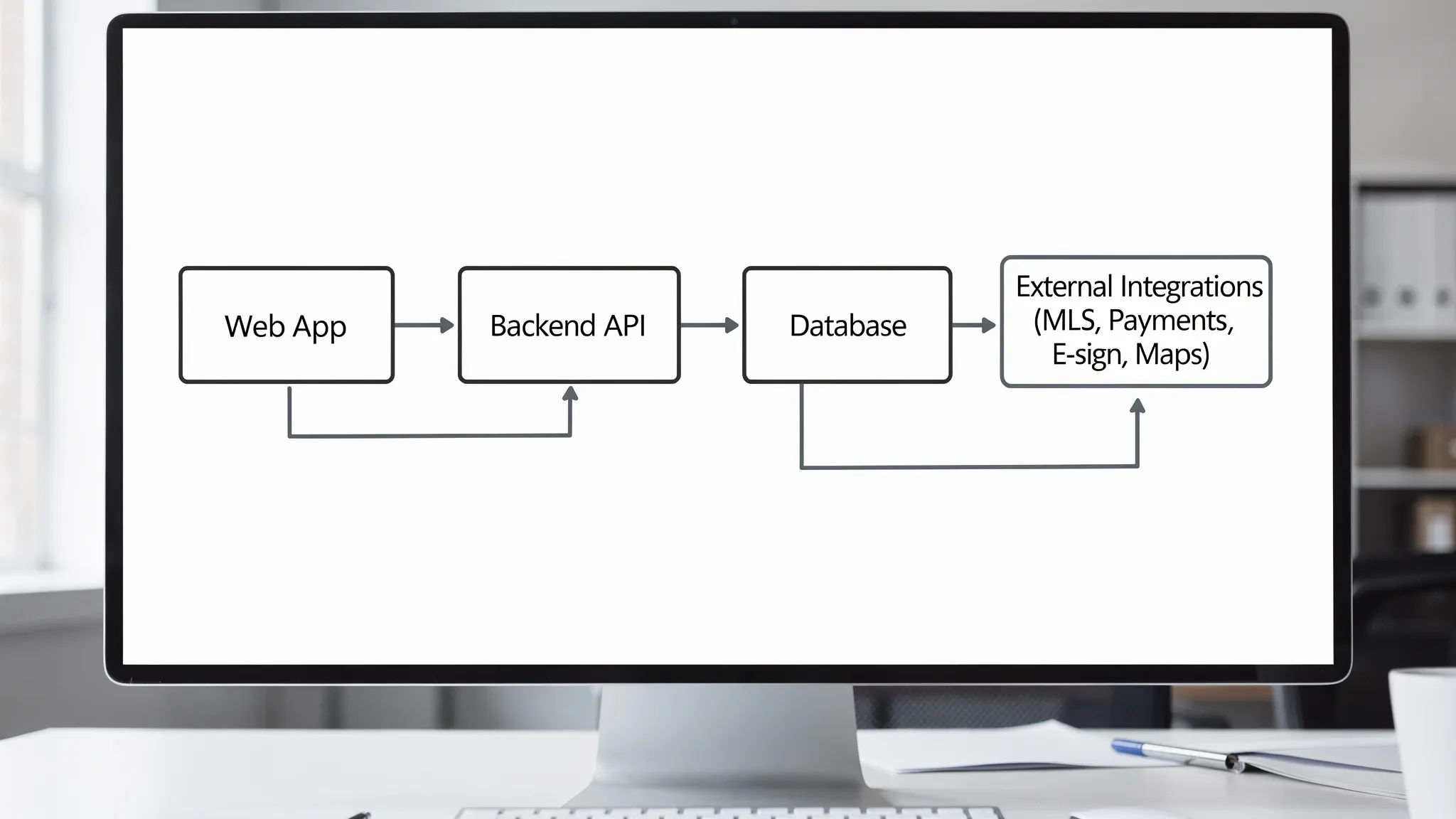
Most successful real estate platforms start with an architecture that is simple to operate, then evolve as complexity grows.
A pragmatic baseline often includes:
- A web application (or PWA) for the primary experience
- A backend that supports clear domain boundaries (listings, leads, scheduling, payments, maintenance)
- A relational database for core records, with careful schema design
- An async mechanism for integrations and long-running workflows
- Object storage for documents and media
If you are choosing technology and want a decision framework rather than a stack opinion, see: How to Choose the Right Tech Stack in 2025.
Build vs buy: the decision that changes your feature list
Your feature roadmap changes dramatically based on whether you:
- Buy an off-the-shelf platform
- Build a custom product
- Use a hybrid approach (buy commodity capabilities, build differentiators)
If your competitive advantage is workflow, data, or customer experience, custom can make sense. If the capability is commodity (for example, basic e-signature), integrating a mature provider is usually lower risk.
Wolf-Tech covers a practical decision framework here: When to Choose Custom Solutions Over Off-the-Shelf.
Frequently Asked Questions
What is the most important feature in a real estate app? The most important feature is the one that completes your primary value loop. For many sales-focused products, that is discovery plus lead capture and routing. For rentals, it is a mobile-friendly application workflow. For property management, it is maintenance and rent collection.
Should we build a mobile app or a web app first? Many teams start with a responsive web app or PWA to validate the workflow end-to-end, then add native mobile where it clearly improves the experience (push notifications, camera uploads, offline access, device integrations). The best choice depends on your users and operational model.
How do we prioritize features for an MVP? Prioritize an end-to-end workflow over isolated features. Define 2 to 4 measurable outcomes (conversion, response time, completion rates), then scope only what is needed to move those metrics.
What integrations are usually required for real estate application development? Common integrations include listing data sources (MLS/IDX where applicable), maps/geocoding, CRM/marketing tools, payments, e-signature, and for rentals, screening providers. The right set depends on your business model and geography.
What security requirements should we plan for? Plan for strong authentication, role-based access control, encryption, secure document handling, and audit logs. If you process sensitive data, align with a recognized framework (for example OWASP ASVS) and define retention and access policies early.
How do we choose the right development partner for a real estate app? Look for proven delivery maturity across discovery, engineering quality, security, cloud/DevOps, data and integrations, UX, and operational readiness. A short hands-on pilot is often the fastest way to de-risk. Wolf-Tech’s CTO shares a vetting framework here: How to Vet Custom Software Development Companies.
Build the features that matter, with an engineering plan that scales
If you are planning a new real estate product, modernizing a legacy platform, or need help turning a feature wishlist into an MVP that proves outcomes, Wolf-Tech can help across full-stack delivery, code quality consulting, legacy optimization, and scalable architecture.
Explore Wolf-Tech at wolf-tech.io, or start with our delivery playbook: Custom Web Application Development: From Idea to Launch.